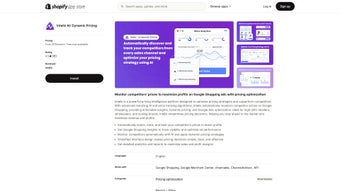

Overview: Why Intelis Is the Smart Choice for Modern E‑Commerce Merchants
Intelis is a cloud‑based, AI‑driven dynamic pricing solution designed for online retailers who sell on Shopify, Amazon, Walmart, eBay, Target and other major marketplaces. In today’s hyper‑competitive digital storefronts, price adjustments happen by the minute, and manual monitoring quickly becomes impossible. Intelis solves this problem by continuously scanning competitor listings, analyzing market trends, and generating data‑backed price recommendations that aim to boost sales while protecting profit margins.
The platform’s intuitive dashboard presents real‑time insights, allowing merchants to react to price wars, flash sales, and seasonal demand spikes without the need for spreadsheets or guesswork. Whether you run a boutique shop with a few hundred SKUs or a large brand managing thousands of products across multiple channels, Intelis scales to meet your needs. Built on a secure, GDPR‑compliant cloud infrastructure, the software encrypts data both in transit and at rest, giving merchants confidence that their pricing intelligence remains private.
Regular model updates keep the AI engine aligned with evolving market dynamics, ensuring that the recommendations you receive are always based on the latest information. By automating the most time‑consuming aspects of price optimization, Intelis frees up valuable resources so you can focus on product development, marketing, and customer experience.
Key Features and Platform Compatibility
- Real‑Time Competitor Monitoring: Updates pricing data every few minutes across all connected marketplaces.
- AI‑Powered Pricing Engine: Uses machine‑learning models to suggest optimal price points that balance volume and margin.
- Multi‑Marketplace Integration: Native plugins for Shopify, Amazon Seller Central, Walmart Marketplace, Target.com, eBay and Google Shopping.
- Bulk Price Updates: Apply recommended changes to hundreds of products with a single click.
- Custom Pricing Rules: Define floor/ceiling limits, profit thresholds and seasonal discounts.
- Actionable Insights Dashboard: Visual charts, alerts and historical performance reports.
- Secure Cloud Architecture: End‑to‑end encryption, GDPR and CCPA compliance.
- API & Webhooks: Pull data into ERP, PIM or custom back‑office systems.
- Continuous Model Updates: Monthly improvements based on global market trends.
- Mobile‑Friendly Interface: Access the dashboard from any modern browser on Windows, macOS, Linux, iOS or Android.
Intelis runs entirely in the cloud, meaning you only need a recent web browser—Chrome, Firefox, Edge or Safari—to use the application. The service is compatible with all major operating systems, including Windows 10/11, macOS Ventura, Linux distributions, iOS 14+ and Android 9+. Because the core functionality is delivered via SaaS, there are no local installations or hardware requirements; you simply log in from any device with an internet connection.
Getting Started, Daily Workflow, and an Honest Review
Installation & Initial Setup
After purchasing a subscription, you receive a welcome email containing a unique activation link. Clicking the link takes you to the appropriate app store—Shopify App Store for Shopify users, or the marketplace-specific portal for Amazon, Walmart, etc.—where you authorize Intelis to read your product catalog and sales data via OAuth 2.0. The authorization process is quick, typically completed in under two minutes.
Once connected, Intelis performs an automatic inventory scan, importing product titles, SKUs, current prices and inventory levels. This initial scan usually finishes within five minutes for stores with fewer than 5,000 items, and up to fifteen minutes for larger catalogs. After the scan, the dashboard populates with a baseline view of your pricing landscape, highlighting immediate opportunities for adjustment.
Day‑to‑Day Usage
The main interface is divided into three tabs: Market Overview, Pricing Recommendations and Performance Insights. In Market Overview you can filter competitor price changes by marketplace, product category or price range, and set custom alerts for when a competitor undercuts you by a specific percentage. Pricing Recommendations presents a list of AI‑generated price points, each color‑coded to reflect confidence level (green = high, yellow = moderate, red = low).
You can accept a suggestion with a single click, or adjust the price manually before applying it. The Performance Insights tab offers trend graphs that correlate price adjustments with sales velocity, conversion rate and gross margin, enabling you to fine‑tune your strategy over weeks or months. For bulk operations, the “Apply to Selection” button lets you push changes to dozens or hundreds of SKUs in one action, saving countless hours of manual work.
Review: Pros & Cons
Pros
- Real‑time competitor tracking eliminates the need for manual price checks.
- AI engine continuously learns, improving recommendation accuracy over time.
- Multi‑marketplace support consolidates pricing management into a single dashboard.
- Secure, GDPR‑compliant infrastructure protects sensitive pricing data.
- Bulk update feature accelerates large‑scale pricing campaigns.
Cons
- Subscription cost may be a hurdle for very small startups.
- Initial learning curve for merchants unfamiliar with AI‑driven pricing.
- Full feature set requires integration with at least one supported marketplace.
- Advanced rule creation can be complex without technical assistance.
- Requires an active internet connection; offline changes are not possible.
Frequently Asked Questions
How does Intelis gather competitor pricing data?
Intelis combines legally compliant web scraping, public API feeds and marketplace data exports to collect price information. All data collection respects robots.txt directives and each platform’s terms of service.
Can I customize the pricing rules?
Yes. Intelis includes a rule engine where you set minimum and maximum price thresholds, profit margin floors, and seasonal discount parameters. These rules are applied before the AI suggestions appear.
Is there a free trial available?
Intelis offers a 14‑day free trial with full feature access and no credit‑card requirement, allowing you to test real‑time tracking, AI recommendations and bulk updates.
What support options are provided?
Customers receive 24/7 email support, live chat during business hours, a dedicated account manager for enterprise plans, and an extensive knowledge base with video tutorials and API documentation.
Will using Intelis impact my SEO?
No. Intelis only modifies product pricing data; it does not alter URLs, meta tags or on‑page content. Proper pricing can improve click‑through rates on shopping ads, which may indirectly benefit SEO.
Conclusion: Ready to Upgrade Your Pricing Strategy?
If you’re serious about staying ahead of competitors while safeguarding your profit margins, Intelis offers a comprehensive, AI‑driven toolkit that automates the most labor‑intensive aspects of dynamic pricing. Its real‑time monitoring, multi‑marketplace integration, secure cloud architecture and powerful bulk‑update capabilities make it a solid investment for both emerging startups and established brands. Although the subscription fee may feel premium for very small shops, the time saved on manual price research and the revenue uplift from optimized pricing typically pay for itself within a few months. Take the guesswork out of price management—download Intelis today and let data‑driven intelligence turn market volatility into a competitive advantage.



.png)



